

Permission to run an Expert Advisor is not what disqualifies automated prop-firm accounts. The clauses that do sit further down the same terms page, they restrict behaviour rather than tooling, and only one of the five most common families is something your EA can check on its own. Traders search for which firms allow EAs. Almost nobody searches for what that permission actually costs them.
“Do You Allow EAs?” and “Is My EA Allowed?” Are Different Questions
The first question is answered on a marketing page. The second is answered in the terms, and it is conditional on what your system does.
Automation permission is not where prop firms compete. They differentiate on payout splits, drawdown limits, and challenge fees — the terms traders compare before signing. Permission to attach an EA is a checkbox, and it says nothing about the conditions attached to it.
What ends automated accounts is a second layer of rules that never mentions Expert Advisors at all. These clauses restrict behaviour: how long a position stays open, when orders may be placed, how quickly they follow a price move, and how many accounts carry correlated flow. An EA is not exempt from any of them. An EA is simply very good at breaking them consistently.
One thing this article deliberately does not do is name, rank, or compare firms. Rules differ between firms, between phases, and between the evaluation and funded stages, and they change. A comparison table we have not audited ourselves would be wrong within a quarter, and worth less than knowing which categories to look for in the terms you are signing.
The Five Prop Firm Clause Families That Apply to an Automated Account
Read your firm’s terms looking for these five categories. Each applies to what your EA does, whether or not EAs are permitted.
| Clause family | What trips it | Can the EA check it while running? |
|---|---|---|
| Minimum hold time | Positions closed faster than a defined duration | Only if you supply the threshold and enforce it before close |
| News window restriction | Orders placed inside a buffer around a scheduled release | On MT5 yes, via the native calendar; on MT4 not without an external feed |
| Tick scalping / latency | Orders reacting to price movement faster than the firm considers legitimate | Partly — the EA can measure its own reaction time, but not the firm’s threshold |
| Account correlation / copy trading | The same strategy running across multiple accounts | No — the breach is not in the code |
| Prohibited strategy classes | Martingale, grid, and comparable exposure-escalation patterns | Yes |
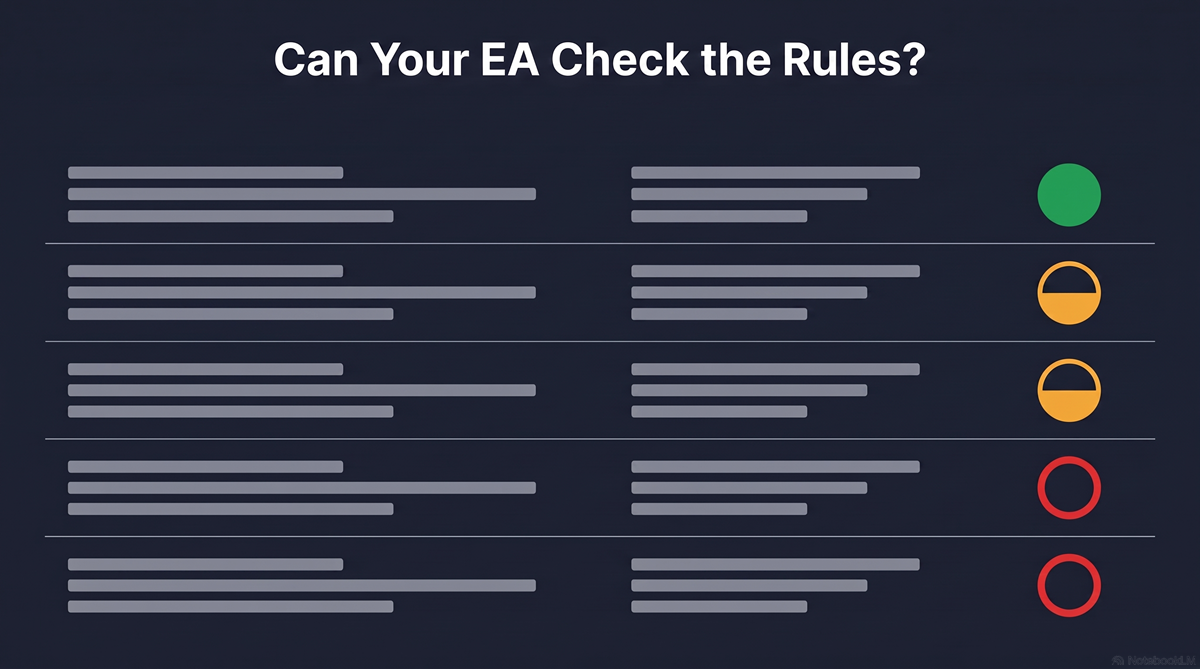
Only one of the five — prohibited strategy classes — can an EA evaluate about itself with no outside input. Three more become checkable once you supply what the code cannot derive: a hold-time threshold, your firm’s event list mapped onto a calendar feed, a latency limit. The last one it cannot resolve at any price. It breaches account correlation while reporting that everything is fine, because from inside the code nothing is wrong.
That changes where the work goes. Live monitoring — checking the equity curve, reviewing the trade list each evening — only catches problems the system can see. For the one it cannot, by the time the breach is visible to you, the prop firm has already recorded it.
Minimum Hold Time: Why a Voided Trade Still Shows a Profit in Your Terminal
Minimum hold time has a failure mode the other four do not. Where a firm applies the rule in review rather than at execution, nothing gets blocked.
The order fills. The position opens and closes. Your terminal shows it, your account history records it, and the profit or loss lands in the balance you are watching. The rule is applied afterwards, when the firm evaluates the result and removes the non-qualifying trades from the calculation.
The consequence is two versions of the same account. You watch one equity curve; the firm evaluates a different one. If a share of your EA’s trades fall under the threshold — and a short-horizon system can put a large part of its activity below it — the curve you believe you passed with is not the one being assessed.
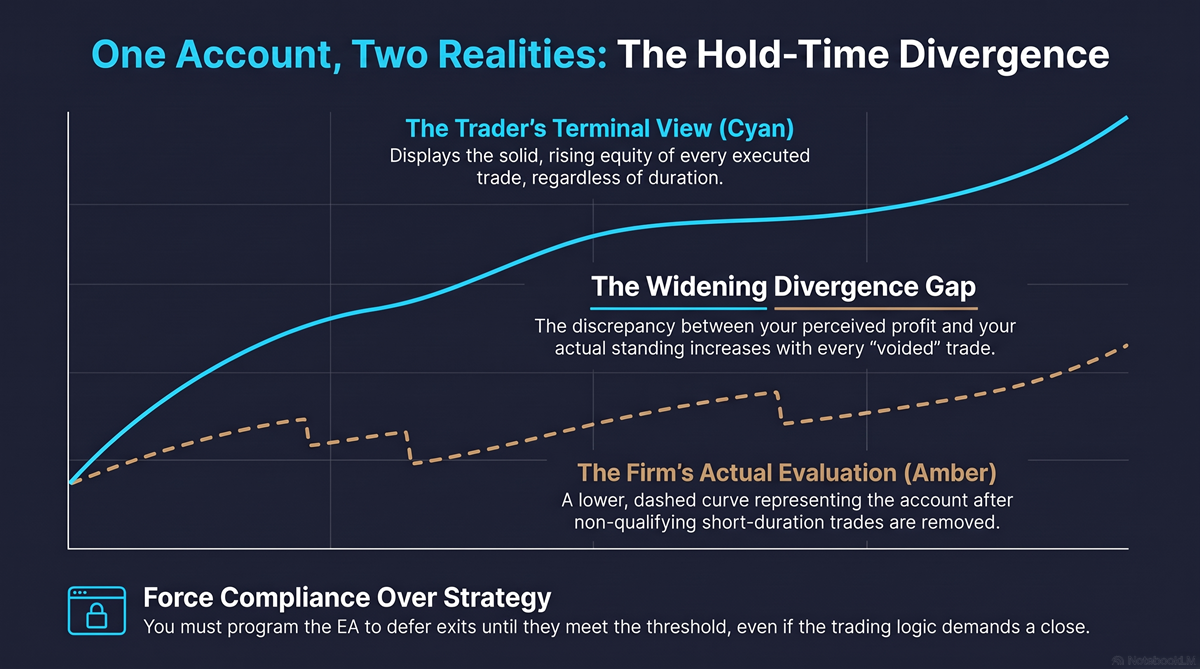
Nothing in MQL4 or MQL5 surfaces this: no platform function reports a prop firm’s hold-time requirement, because it is a contractual term, not a broker-level setting. The EA can only enforce what you give it — the threshold as an input parameter, checked before any close, with the exit deferred until the position qualifies.
Deferring an exit to satisfy a hold-time rule means holding a position your strategy wanted to close. The compliance rule and the trading logic are in genuine conflict, and resolving that is a strategy decision, not a coding one.
News Window Restrictions: What the Calendar Gives You and What It Does Not
On MetaTrader 5 the event data is already in the terminal. The gap is that the calendar’s idea of an important event is not your prop firm’s.
MT5 ships a built-in Economic Calendar, and MQL5 exposes it to code — CalendarValueHistory(), CalendarValueLast(), CalendarEventById() (opens in a new tab) and the related functions return scheduled events with country, currency, and an importance flag. An EA can read what is coming. MQL4 has no equivalent, so on MT4 the data has to come from outside the terminal entirely.
So on MT5 the problem is not access. It is mapping. The calendar’s importance flag is MetaQuotes’ classification; your firm’s restricted list is published in its own terms, and nothing reconciles the two for you. An EA that blocks trading around everything the calendar marks high-impact is not implementing the firm’s rule — it is implementing a different rule that happens to overlap.
Three things still have to be decided, and none of them are supplied by the calendar:
- Which events count — the firm’s list, not the importance enum
- The buffer before and after — firms define the window differently, and it is rarely symmetrical
- What happens to positions already open when the window opens
The third is where implementations fall short most visibly. A filter that blocks new entries but leaves positions running through the release satisfies neither party: the firm may still count the exposure, and the trader carries the volatility they were avoiding.
This is a different problem from session and timezone filtering, and the two are often conflated. Session filters answer “what time is it on the broker’s server?” — a question about clocks and daylight-saving offsets. News windows answer “what is scheduled next, and does my firm care about it?” — a question the platform can partly answer and the terms have to finish.
Account Correlation: The Rule a Code Review Cannot Check
This is the family a code review cannot find. The code is compliant. The way it is deployed is not.
Correlation, group-trading, and copy-trading clauses restrict running the same strategy across multiple accounts — several evaluations at once, an evaluation alongside a funded account, or a firm account beside a personal one. The EA behaves identically in every case. What triggers the clause is that the order flow across those accounts is near-identical in timing and direction.
A code audit clears this EA. There is nothing in it to find. The breach is created by where it runs, not by what it does.
There is a second-order version if you did not write the EA yourself: a commercially sold EA runs on other people’s accounts too. If two buyers run the same system at the same prop firm, correlated flow exists without either of them doing anything, and neither controls it. It is invisible from every angle a trader would normally check — the code, the backtest, and the trade history all look correct.
Before you scale a working system onto a second account, this is the clause to read first.
How to Check Your Prop Firm’s Clauses Before You Pay the Fee
Work the five families in order of what your EA cannot resolve on its own.
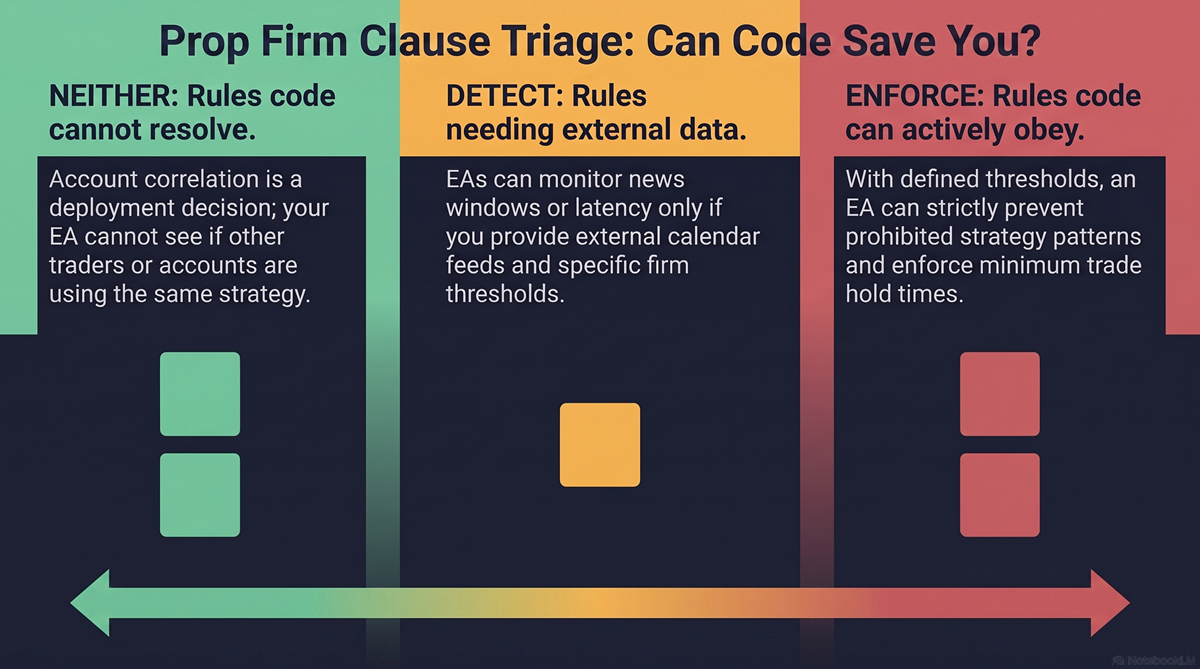
For each, find the clause in the terms and answer one question: can my EA enforce this, only detect it, or neither?
- Enforce — the EA can be given the rule and made to obey it. Prohibited strategy classes, and minimum hold time once you supply the threshold.
- Detect — the EA can be told when it is at risk but cannot settle the question alone. News windows, once you have mapped the firm’s event list onto a calendar feed. Latency, where the EA can time its own reaction but not the threshold it is judged against.
- Neither — no code change helps. Account correlation is a deployment decision, settled by how many accounts you open and what you run alongside them.
Start with “neither.” No monitoring catches it and no rewrite fixes it, because it is decided before the EA ever runs.
Adapting an existing EA to a specific rule environment is the kind of work we take on at barmenteros FX. Whether it is a code change, a deployment change, or a different firm is the same evaluation question that decides any rescue job — settled by that triage, not after the fee is paid.
If your EA clears all five and the question becomes how to build the enforcement itself — the daily loss halt, the drawdown tracking, the phase configuration — that is a separate engineering problem, and we covered it in what prop firm EAs get wrong before the challenge even starts.
The checkbox was never the question. The five clauses underneath it are.

Leave a Reply